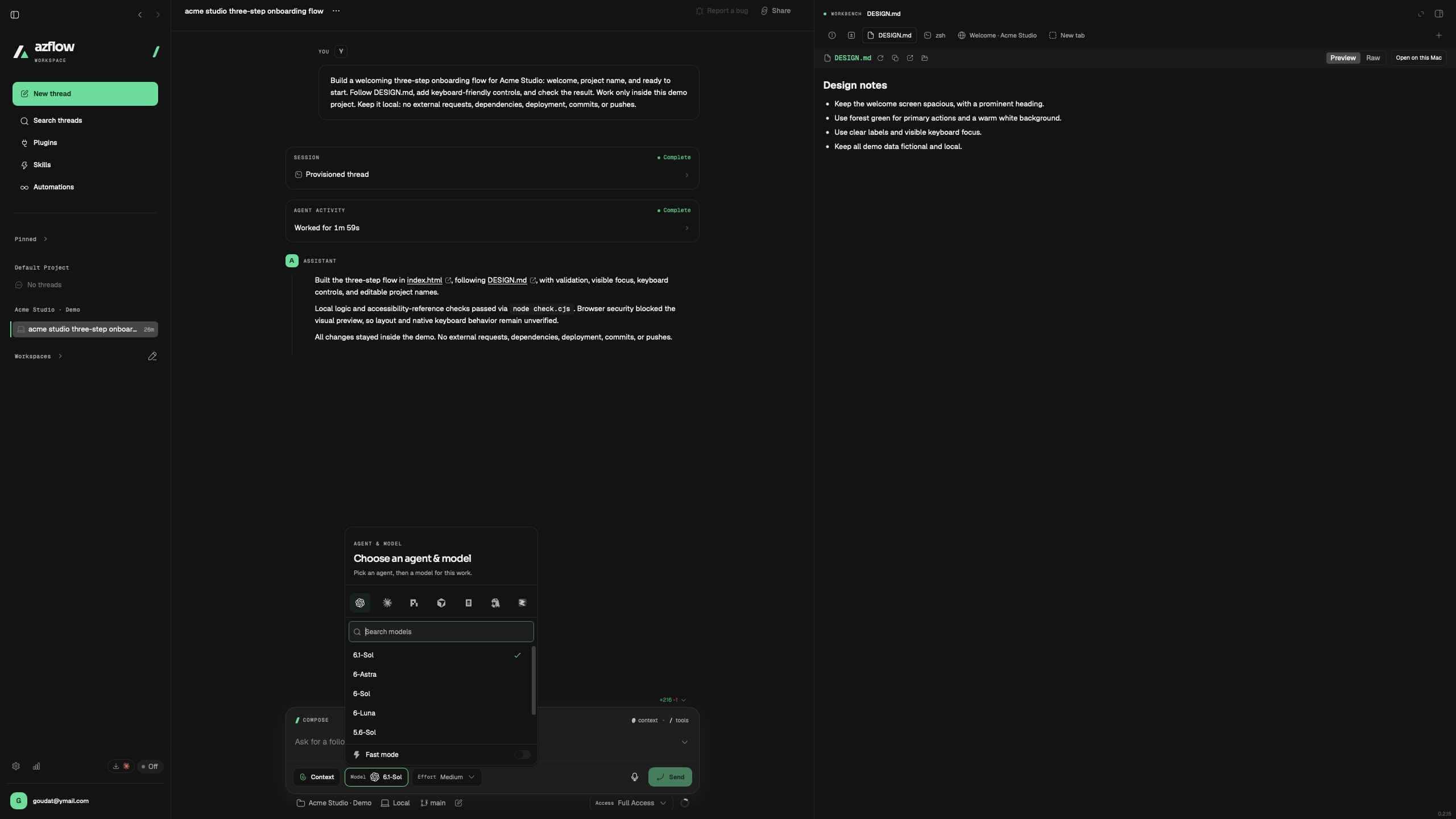
CHOOSE YOUR AGENT
The right model for the work.
Bring your connected coding agents into one workspace. Choose the model that fits the task, and keep the conversation moving.
AZFLOW AI · THE AI SOFTWARE FACTORY
Bring your projects, coding agents, and tools together.
From the first idea to the final review, make the work your own.
See the work happen. Then make it your own.
The Azflow interface. A sample project you can explore. Scripted demo · Fictional data · No agent requests.
FROM FIRST THOUGHT TO FINAL REVIEW
CHOOSE YOUR AGENT
Bring your connected coding agents into one workspace. Choose the model that fits the task, and keep the conversation moving.
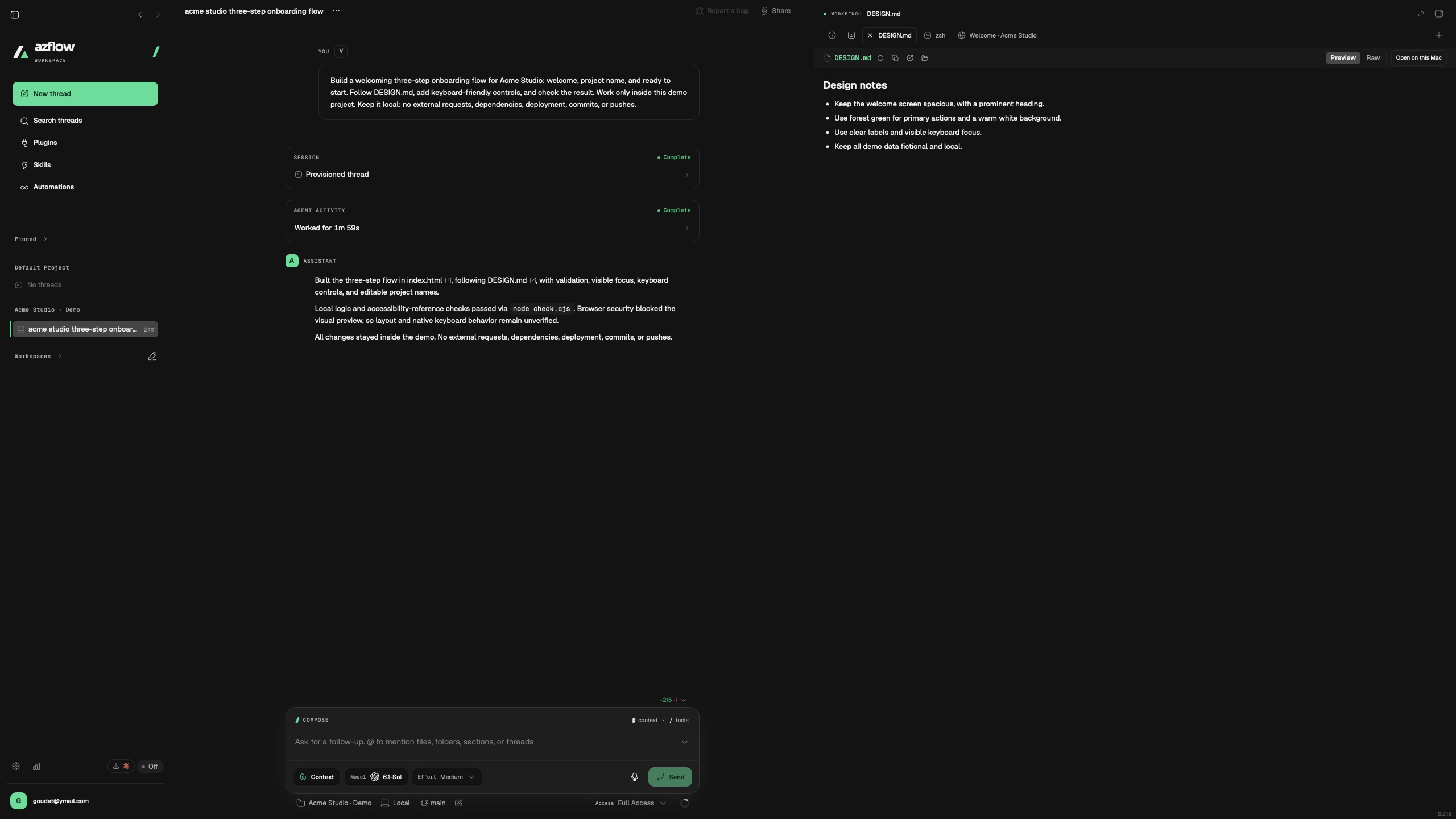
KEEP YOUR CONTEXT
Keep project files and design notes beside the conversation. Give your agent clear direction without losing sight of the details.
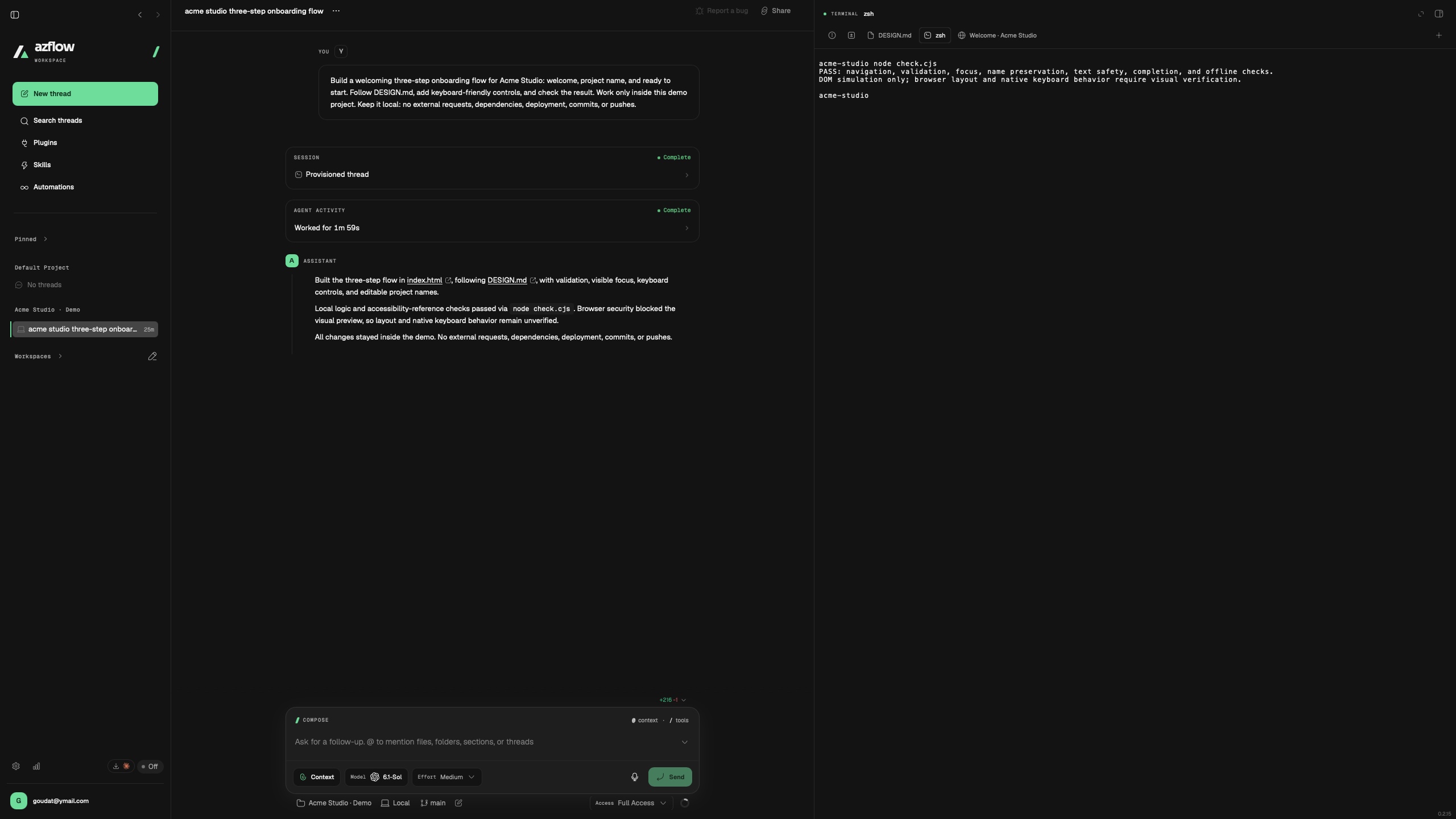
CHECK THE WORK
Open a terminal in your project, run local checks, and read the output alongside the work that produced it.
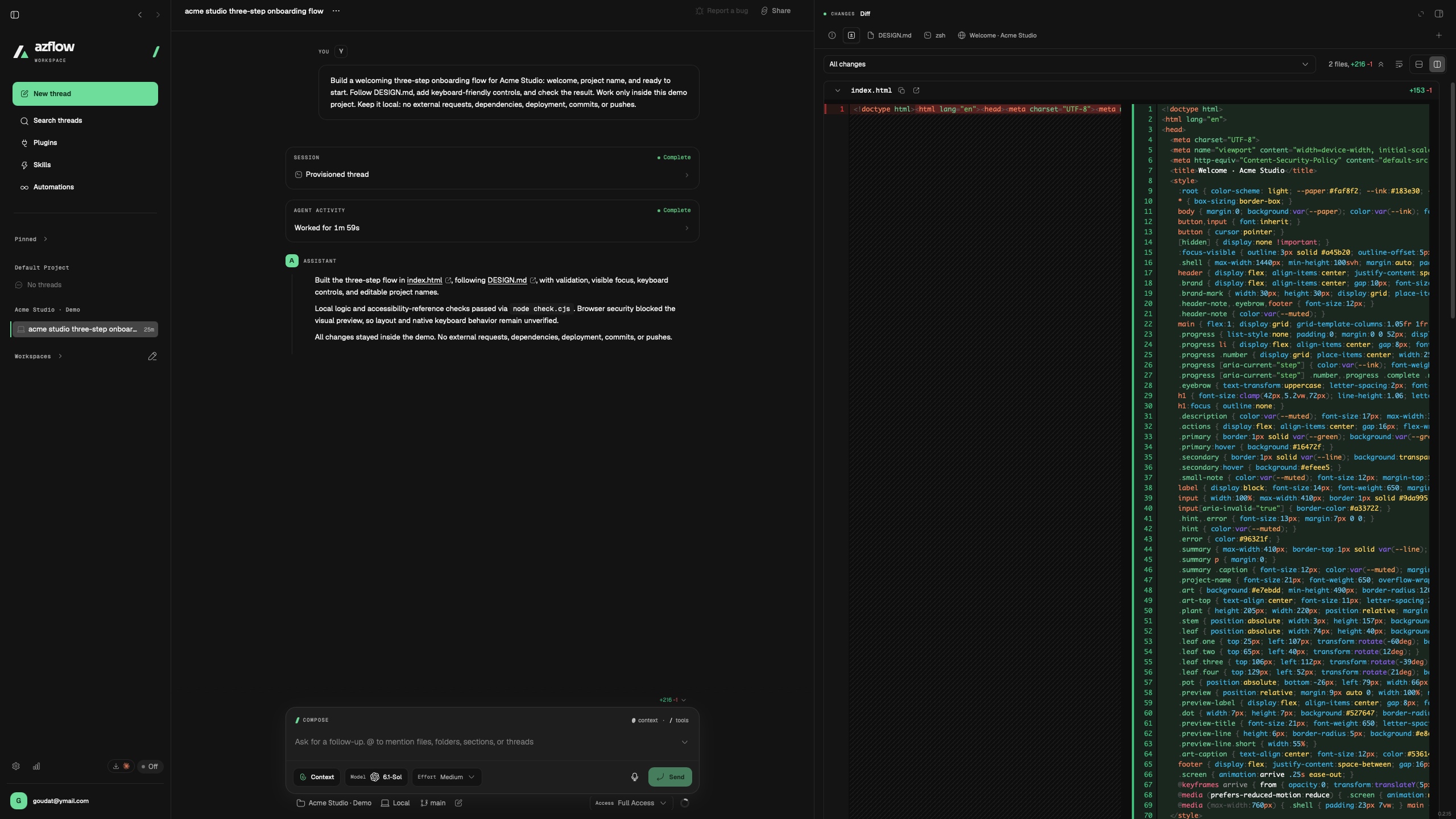
REVIEW THE CHANGES
See what changed in the code. Read additions and removals, review the result, and decide what deserves to ship.
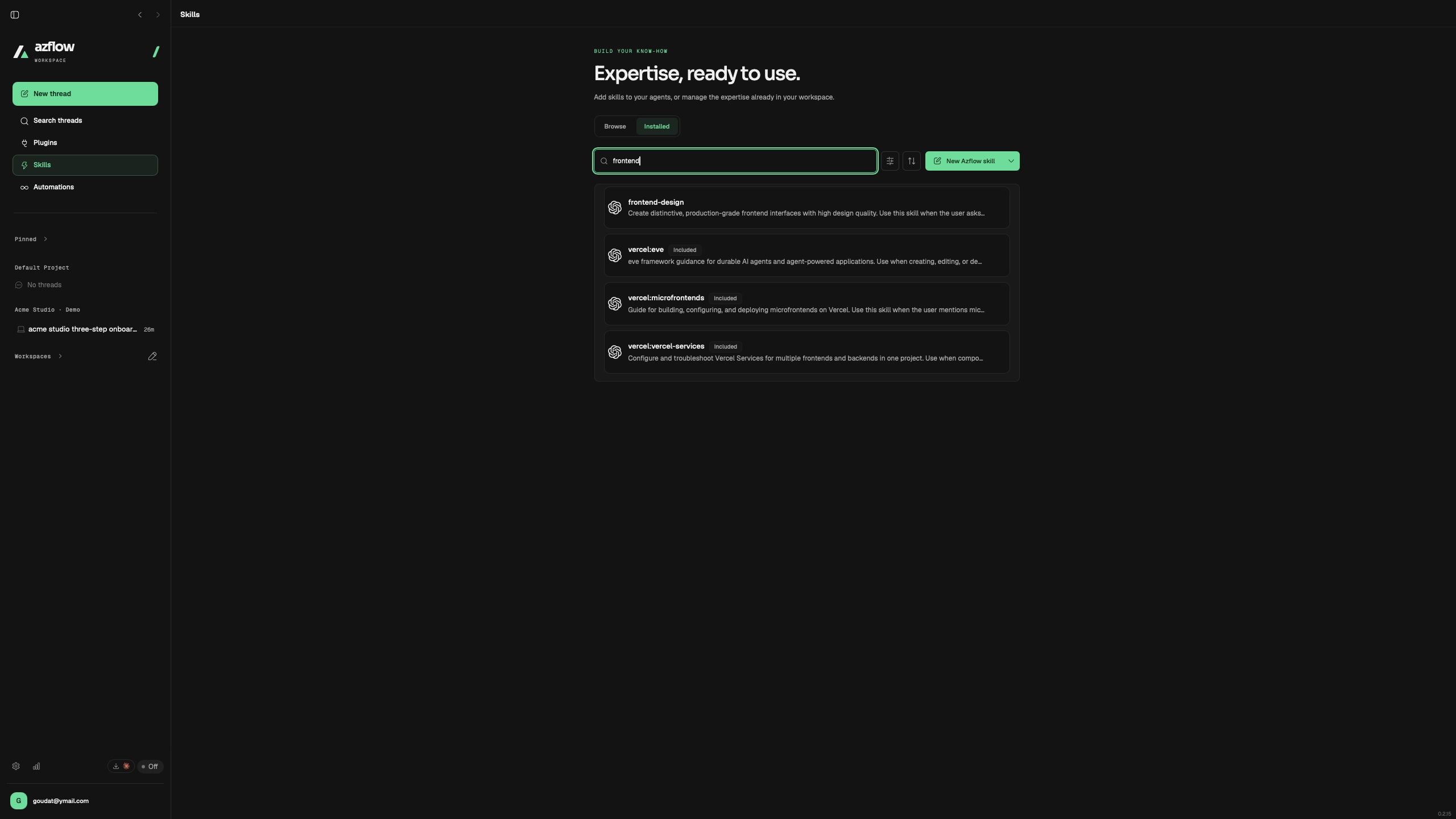
BUILD YOUR KNOW-HOW
Give agents reusable guidance for the way you work. Browse your skills and keep useful methods close to every project.
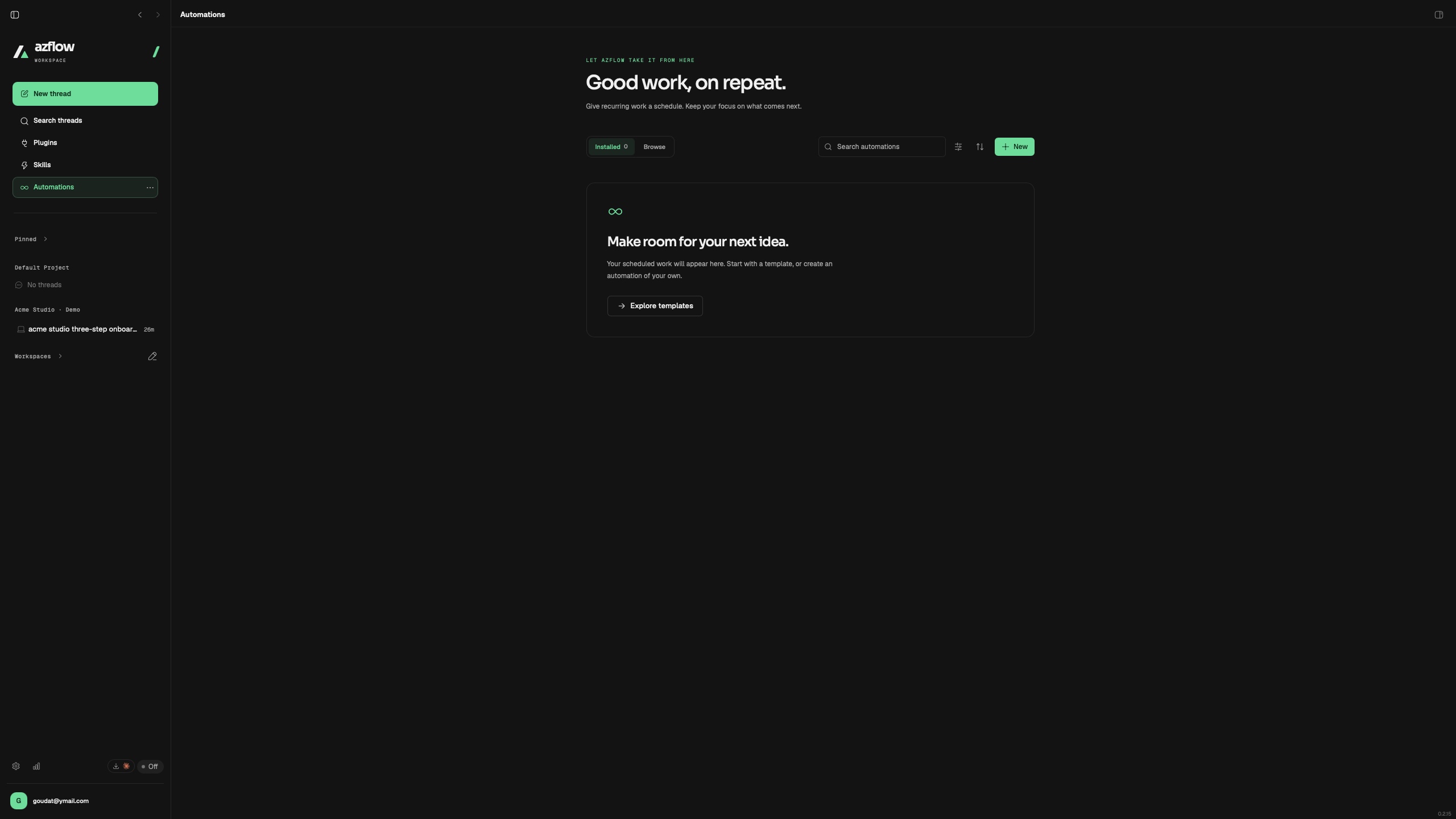
MAKE ROOM FOR MORE
Organize scheduled work in one place. Explore templates and create routines for the tasks you come back to.
CHOOSE WHERE THE WORK HAPPENS
Keep your project close. Give a new Cloud thread its own space. Choose the environment that fits the work.
Understand the workflowYour files, Git, terminals, and connected coding agents. A familiar foundation for the next thing you build.
A separate remote workspace for Cloud threads, with filesystem checkpoint recovery. Local projects stay local unless you move them.
THE NEXT CHAPTER OF SOFTWARE
BUILT AROUND HUMAN INTENTMore capable tools should give you more room to think. Follow the work, question the output, and decide what deserves to ship.
That’s the future we’re building with Azflow.
A FEW GOOD QUESTIONS
Azflow AI is a desktop workspace that brings projects, agent conversations, files, Git, terminals, plugins, and skills together. It gives your coding workflow a connected place to happen, with your direction and review at the center.
Azflow integrates with coding agents including Codex and Claude Code. Available models and capabilities depend on your connected provider, account, and execution environment.
No. Local and cloud work are separate execution environments. Cloud persistence uses filesystem checkpoints; it does not promise to restore running processes. Automatic local-to-cloud file transfer is not part of this preview.
This page describes a workflow with human direction and review. It does not promise automatic production releases. You still choose the permissions, inspect results, and decide how changes are delivered.
Azflow is in active development for Apple silicon Macs. Public release details and a verified download will be added when ready. This preview lets you explore the product direction and actual app screens and feature highlights.
THIS IS ONLY THE BEGINNING
A new home for your ideas, your agents,
and the work that connects them.
In development for macOS · Public release details to come